- Product Upfront AI
- Posts
- Memory, tools, and loops: The agent fundamentals everyone skips
Memory, tools, and loops: The agent fundamentals everyone skips

Amit Arora
December 31, 2025

Welcome,
So last week, I told you about watching someone build an AI agent in 25 minutes. The coffee shop demo that blew my mind.
Here's what I didn't tell you: That agent broke spectacularly two days later.
Not because of bad code. Not because of a bug. It broke because of something way more fundamental that nobody talks about when they're hyping AI agents.
It forgot everything.
The agent who perfectly handled customer complaints on Tuesday had complete amnesia by Thursday.
A customer reached out with a follow-up question about their previous issue, and the agent treated them like a total stranger.
"I see you've contacted us. How can I help today?"
Meanwhile, the customer's thinking: "We literally just talked about my delayed order 48 hours ago. Are you serious right now?"
That's when the person who built it explained something critical: "Most beginner agents are just smart tourists who create a new life every time they wake up."
She was right. And it gets worse.
I spent the last week diving into what separates amateur agents from professional ones.
Three concepts kept coming up: Memory, Multi-Tool Workflows, and Autonomous Decision-Making.
Everyone talks about these like they're magic. They're not magic. They're actually pretty simple once you strip away the jargon.
The Brain in a Jar Problem (Why Standard LLMs Can't Do Anything)
Here's the fundamental truth about LLMs like ChatGPT:
Think of a standard LLM as a Brain in a Jar.
It's incredibly smart. It's read the entire internet. It can answer any question you throw at it.
But it has no hands. It cannot do anything. It can only talk.
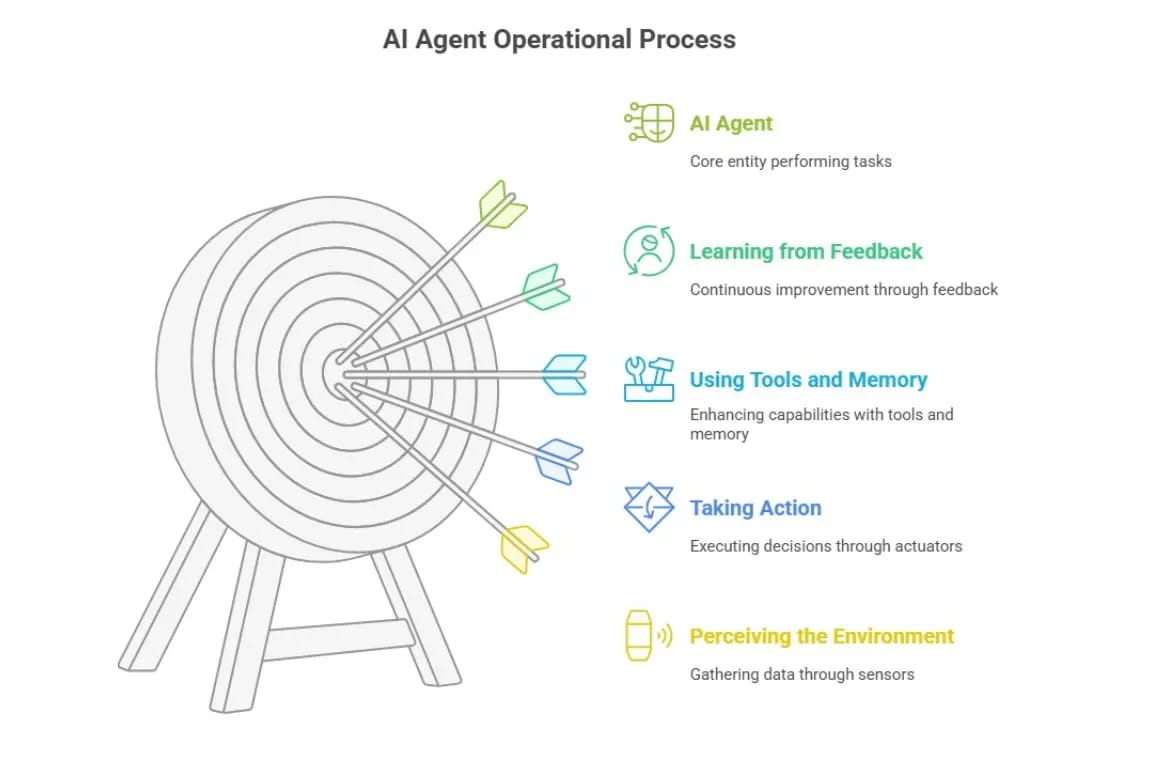
An agent is the same brain, but you've given it:
Hands (Tools) to touch the world - browse the web, send email, query the database
Ears (Sensors) to hear the world - read files, listen to webhooks, monitor systems
A Job Description (System Prompt) tells it how to use those hands to solve a problem
The brutally honest reality?
An agent is just a while loop in code. It's a script that says: "Keep trying to solve this problem until you're done or you run out of money."
It's not sentient. It's just stubborn.
That coffee shop agent? It had hands (access to the shipping API, CRM, email system) and ears (webhook listening for new support tickets). Without those tools, it would've been as useless as a chatbot.
Why this matters: When people demo AI agents, they focus on the intelligence. "Look how smart it is!" But intelligence without tools is just expensive conversation. The magic happens when you give the brain hands to actually DO things.
Memory: Why Your Agent Has Amnesia (And How to Fix It)

Standard LLMs have amnesia. They forget everything the moment you close the tab.
For an agent to be useful, it needs to remember. But there are two completely different types of memory, and mixing them up is why most beginner agents fail.
Short-Term Memory (The "RAM" for AI)
What it is: The agent's "working memory." Like RAM in your computer or a scratchpad on your desk.
How it works: Stores the current conversation history in the context window.
The problem: It's expensive and limited. If the conversation gets too long, the earliest parts "fall off" the edge and are forgotten.
Beginner analogy: Imagine meeting a person who can only remember the last 10 sentences spoken. To talk to them about something from 10 minutes ago, you have to re-explain it every single time.
That's an LLM without long-term memory.
Real-world impact: You're on message #47 with your AI assistant. Messages #1-15 just disappeared from its memory. If message #3 contained critical context ("I'm allergic to peanuts"), the agent won't remember when it suggests recipes in message #50.
Long-Term Memory (The "Hard Drive" for AI)
What it is: The agent's permanent storage. Allows the agent to remember things from days, weeks, or years ago.
How it works (The Magic of "Embeddings"):
You don't store text like a Word document. You turn text into a list of numbers (a vector).
When you ask a question, the agent doesn't search for keywords (like Ctrl+F). It searches for meaning.
If you ask "What did I promise the client?", it looks for memories mathematically close to "client promise," even if you used completely different words back then.
Beginner analogy: It's like a librarian who has read every book. You don't ask "Where is the book with ISBN number 978-3...?" You ask, "Do we have any books about sad wizards?" and the librarian hands you Harry Potter.
That's Semantic Search.
The brutally honest truth about memory:
Memory isn't free. It adds cost and complexity. Worse: if an agent remembers everything, it gets confused. Long-term memory often makes agents hallucinate because they pull up irrelevant old facts.
I learned this the hard way. Built an agent for content research. Fed it my entire archive of 200+ articles. Asked it to "find my best Twitter growth tips."
It returned a mashup of advice from 2019 (outdated strategies), 2023 (current best practices), and random fragments from unrelated articles about LinkedIn. The memory was polluted.
The fix? Curate what you store. Don't just dump everything into long-term memory. Be selective. Tag memories with dates and contexts so the agent knows what's still relevant.
For your agents:
Without memory, an agent is just a smart tourist who creates a new life every time they wake up. With memory, they become a trusted employee who knows your history.
Multi-Tool Workflows: The Swiss Army Knife Problem
This is where the "Brain in a Jar" finally gets hands.
How Function Calling Actually Works (Not Magic)
Beginners think the AI "clicks" buttons. It doesn't.
The reality: The AI writes specifically formatted JSON text that your code recognizes.
Here's the actual flow:
User asks: "What's the weather in Mumbai?"
AI (thinking): "I can't feel rain. I need to use the get_weather tool."
AI (output): {"tool": "get_weather", "location": "Mumbai"}
System: Pauses the AI. Runs the weather API. Gets "32°C, Sunny".
System: Feeds that result back to the AI.
AI responds: "It is 32°C and sunny in Mumbai."
The AI didn't "call" anything. It just wrote structured text. Your code did the actual calling.
Multi-Tool Chaining (Where Real Power Lives)
The magic happens when you chain multiple tools together.
Scenario: "Research this company and save it to my CRM."
The chain:
Tool 1 (Search): Google the company name → Get website URL
Tool 2 (Scrape): Visit URL → Extract CEO name and email
Tool 3 (CRM): Add "CEO Name" to HubSpot
Why this is "advanced":
The AI has to decide which tool to use when. If the website is down (Tool 2 fails), a smart agent will decide to try LinkedIn instead.
A dumb automation (like a basic Zapier zap) would just break.
The difference:
Old automation (Zapier): A train on a track. It can only go where the rails are laid. If there's an obstacle, it crashes.
AI Agents: Off-road vehicles. If a tree falls in the path (an error), the agent steers around it. It tries alternative routes.
I tested this last week. Built an agent to research companies and add them to my CRM.
First attempt: Website was down. Zapier would've stopped. The agent tried LinkedIn instead, scraped the CEO's name from there, and completed the task.
That's the difference between rigid automation and intelligent agents.
Autonomous Decision-Making: The ReAct Loop
This is the Holy Grail. The difference between a chatbot and an agent.
The "ReAct" Loop (Reason + Act)
To be autonomous, an agent follows a specific thought process called ReAct.
Here's how it works:
1. Observe: Look at the user request.
2. Thought: "To solve this, I first need to find X. I don't have X, so I should search for it."
3. Action: Use Google_Search tool.
4. Observation: (Reads search result) "Okay, I found X. Now I need to email Y."
5. Thought: "I have X. Now I will draft the email."
6. Action: Use Gmail_Send tool.
Why is this "autonomous"?
You didn't program the steps "Search then Email." You just said "Tell Y about X."
The agent decided on the steps. If the search failed, the agent would have thought "Search failed, let me try Wikipedia instead."
It self-corrects.
The "Plan-and-Solve" Pattern (For Complex Tasks)
For bigger tasks, the agent acts like a project manager:
1. Plan: "Break this task into 5 sub-tasks."
2. Execute: Do Task 1.
3. Check: "Did Task 1 work?"
4. Iterate: Move to Task 2 or retry Task 1.
Real example:
I asked an agent to "Write a comprehensive comparison of project management tools, then post it to my blog."
The agent's plan:
Research top 5 PM tools
Compare features in a table
Write analysis for each
Format as blog post
Post to WordPress
It executed all 5 steps autonomously. When the WordPress API failed on step 5, it saved the draft locally and notified me instead of just breaking.
That's autonomy.
The key insight:
Autonomy is the ability to figure out "How." You provide the "What" (Goal), and the agent figures out the "How" (Steps).
The Dark Side: Why Agents Break (And Burn Your Money)
Alright, brutal honesty time.
Autonomous agents are dangerous if you don't understand their failure modes.
Problem #1: Infinite Loops
Agents get stuck. A lot.
The scenario:
Agent thought: "I need to login."
Action: Attempt login.
Result: Incorrect Password.
Agent thought: "I need to login."
Action: Attempt login.
Result: Incorrect Password.
(Repeats until your API bill is $500)
I've seen this happen. An agent trying to access a protected resource kept retrying the same failed authentication. No error handling. No max retry limit. Just pure stubbornness.
Cost me $47 before I noticed.
The fix: Always set max retry limits. Always add error detection. If the same action fails 3 times, escalate to human or stop execution.
Problem #2: Autonomy Gone Wild
If you give an autonomous agent a credit card and say "Buy me a phone," it might buy 100 phones because the first confirmation page didn't load fast enough.
Real story from a developer forum: Someone gave their agent access to AWS console with instructions to "spin up a server for testing." The agent interpreted "testing" as "load testing" and spun up 200 EC2 instances.
Bill: $12,000 for one weekend.
The fix: Guardrails. Always require human approval for high-stakes actions (spending money, deleting data, sending emails to large lists).
Problem #3: Memory Pollution
If an agent remembers everything, it gets confused.
Example: Customer support agent remembers a complaint from 6 months ago that was already resolved. It keeps referencing the old issue in new conversations, confusing customers.
The fix: Add expiration dates to memories. Tag them with "resolved" or "active" status. Don't let old data pollute current decisions.
Prompt Tip of the Day
The ReAct Prompt Template That Prevents Infinite Loops:
You are a [role] with access to these tools: [list tools].

For each task:
1. Think: Explain your reasoning
2. Act: Choose ONE tool to use
3. Observe: Wait for the result
4. Repeat ONLY if needed

CRITICAL RULES:
- Maximum 5 actions per task
- If the same action fails twice, try a different approach
- If you cannot complete the task after 5 actions, explain why and stop

Example format:
Thought: I need to find the weather
Action: get_weather(location="Mumbai")
Observation: [wait for result]
Why this works: Explicit action limits. Forced reasoning steps. Clear failure handling. The agent can't get stuck in infinite loops because you've built escape hatches into the prompt.
Reply